Potato Peeler Redesign
Potato Peeler Redesign
Potato Peeler Redesign
ROLE Product & Interaction Designer
TIMELINE 2 weeks, Fall 2025
TOOLS Arduino, breadboard circuitry, 3D printing, CAD rendering
ROLE Product Designer
TIMELINE 3 weeks
TOOLS Rapid iteration, User Testing, Mold making, Manufacturing techniques

PROBLEM
Standing commuters have nothing to do but hold on for the ride.
On a crowded train, anyone without a seat spends the whole ride gripping a pole or an overhead handle, a purely functional, forgettable interaction. That time is dead time: the moment a hand is free, riders default to their phones, and when a hand isn't free—because it's already occupied holding on—there's often nothing to do at all. I wanted to see whether the one object every standing rider is already touching could become a small, playful moment instead of just a safety grip.
PROBLEM
Standing commuters have nothing to do but hold on for the ride.
On a crowded train, anyone without a seat spends the whole ride gripping a pole or an overhead handle, a purely functional, forgettable interaction. That time is dead time: the moment a hand is free, riders default to their phones, and when a hand isn't free—because it's already occupied holding on—there's often nothing to do at all. I wanted to see whether the one object every standing rider is already touching could become a small, playful moment instead of just a safety grip.
SOLUTION
A grab handle that doubles as a tiny handheld game.
The Gamified Train Handle keeps the same grip a rider already knows—reach up, wrap a hand around it, hold on—but built into the base of that grip are four tactile buttons (up, down, left, right) positioned exactly where fingers naturally rest, with a small LCD screen above them running a simple pixel maze game.
SOLUTION
A grab handle that doubles as a tiny handheld game.
The Gamified Train Handle keeps the same grip a rider already knows—reach up, wrap a hand around it, hold on—but built into the base of that grip are four tactile buttons (up, down, left, right) positioned exactly where fingers naturally rest, with a small LCD screen above them running a simple pixel maze game.
SOLUTION
A grab handle that doubles as a tiny handheld game.
The Gamified Train Handle keeps the same grip a rider already knows—reach up, wrap a hand around it, hold on—but built into the base of that grip are four tactile buttons (up, down, left, right) positioned exactly where fingers naturally rest, with a small LCD screen above them running a simple pixel maze game.
COLOR & FORM
COLOR & FORM

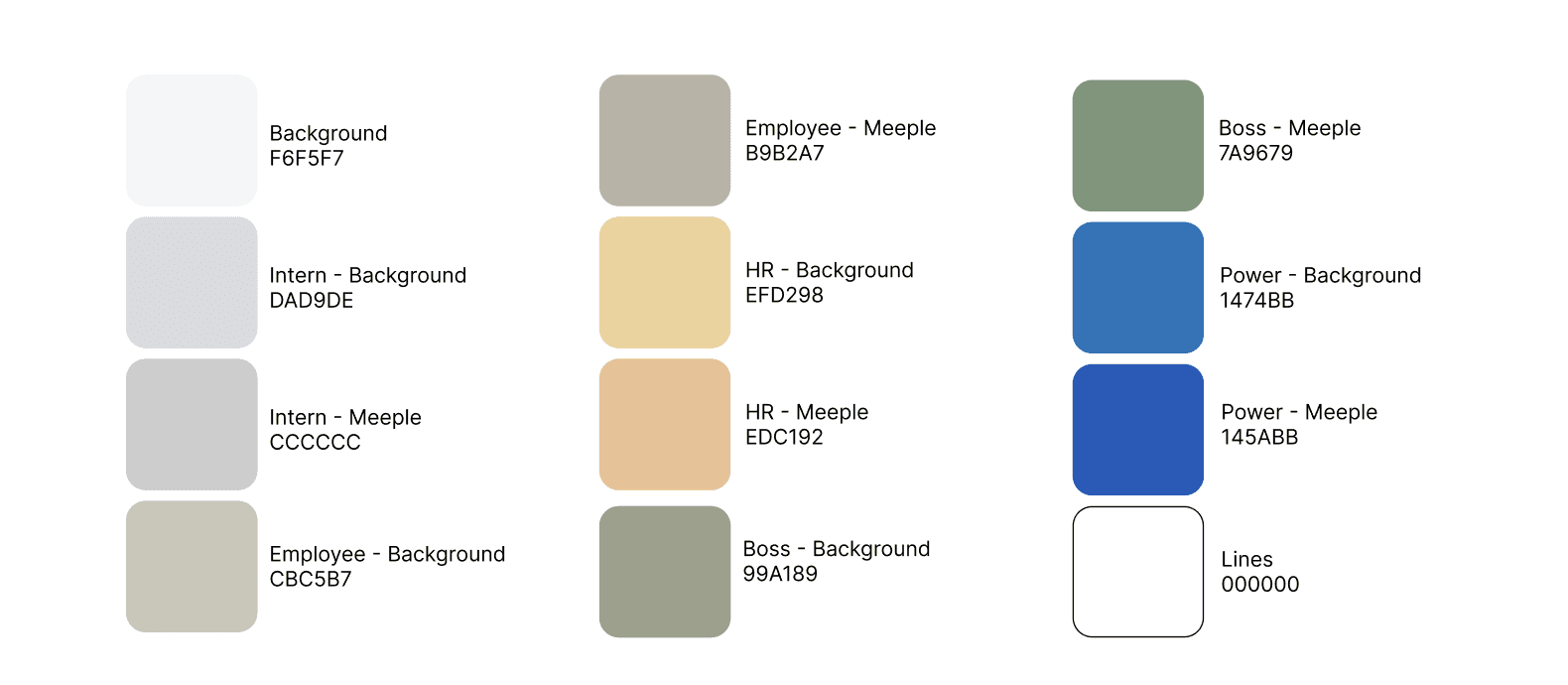
Color studies and early sketches exploring the handle's proportions and color-blocking.
Inspired by NYC Metro Lines—the deep blue body and multicolor button caps echo the color-coded lines of the New York City subway system
Color studies and early sketches exploring the handle's proportions and color-blocking.
Inspired by NYC Metro Lines—the deep blue body and multicolor button caps echo the color-coded lines of the New York City subway system
PROCESS
From a breadboard circuit to a working handheld prototype.
Building the handle meant working through three problems at once:
getting the electronics to reliably read four buttons and drive a screen
designing a game simple enough to be readable at a glance and playable one-handed
fabricating a housing that felt like a real train handle rather than electronics taped to a pole.
PROCESS
From a breadboard circuit to a working handheld prototype.
Building the handle meant working through three problems at once:
getting the electronics to reliably read four buttons and drive a screen
designing a game simple enough to be readable at a glance and playable one-handed
fabricating a housing that felt like a real train handle rather than electronics taped to a pole.
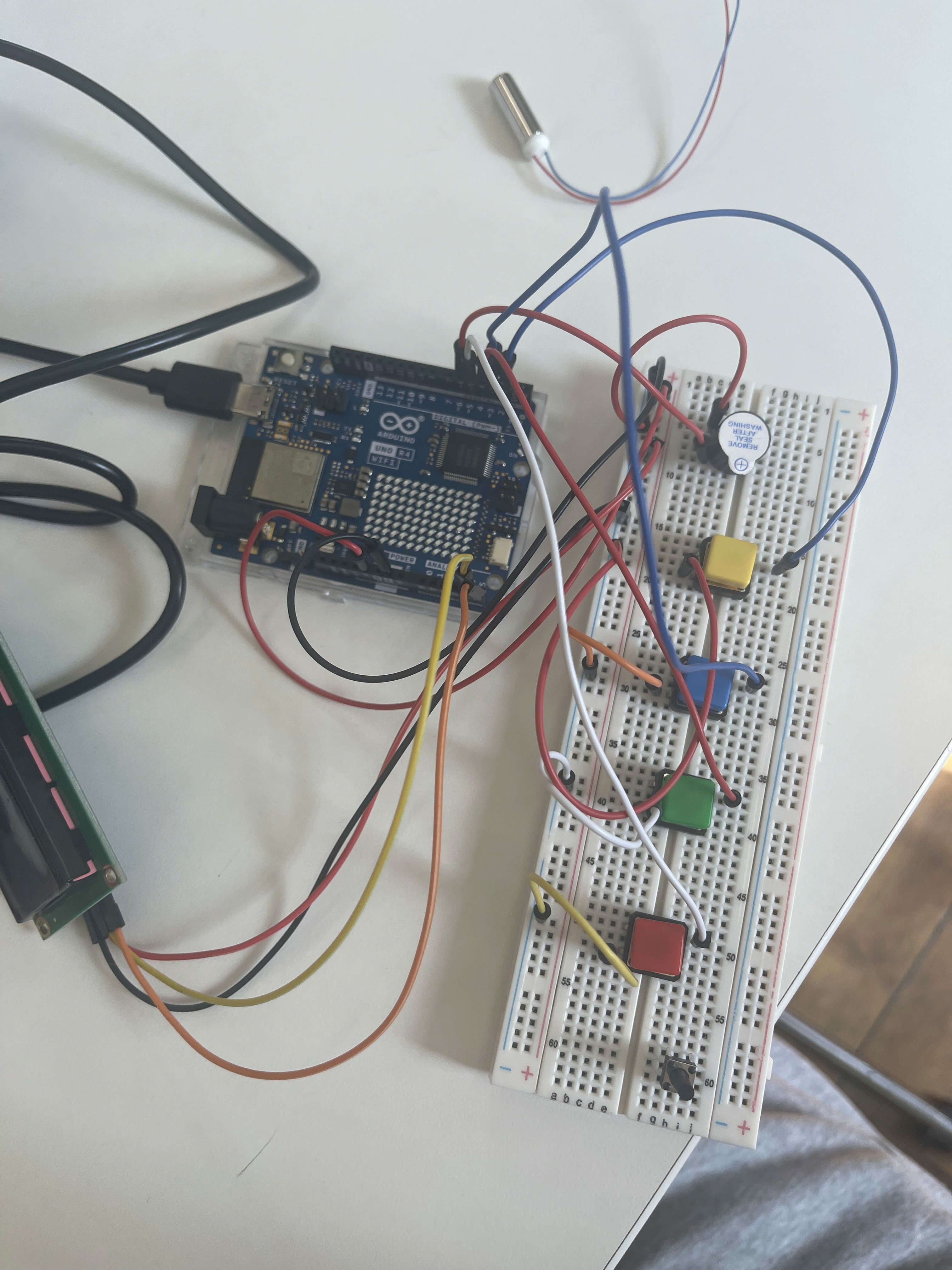
Before touching the housing, I wired the full control scheme on a breadboard to confirm the input mapping and screen refresh worked before committing to a final layout.
4 buttons for game controls: up, down, left, right.
Before touching the housing, I wired the full control scheme on a breadboard to confirm the input mapping and screen refresh worked before committing to a final layout.
4 buttons for game controls: up, down, left, right.
GAME COMPONENTS
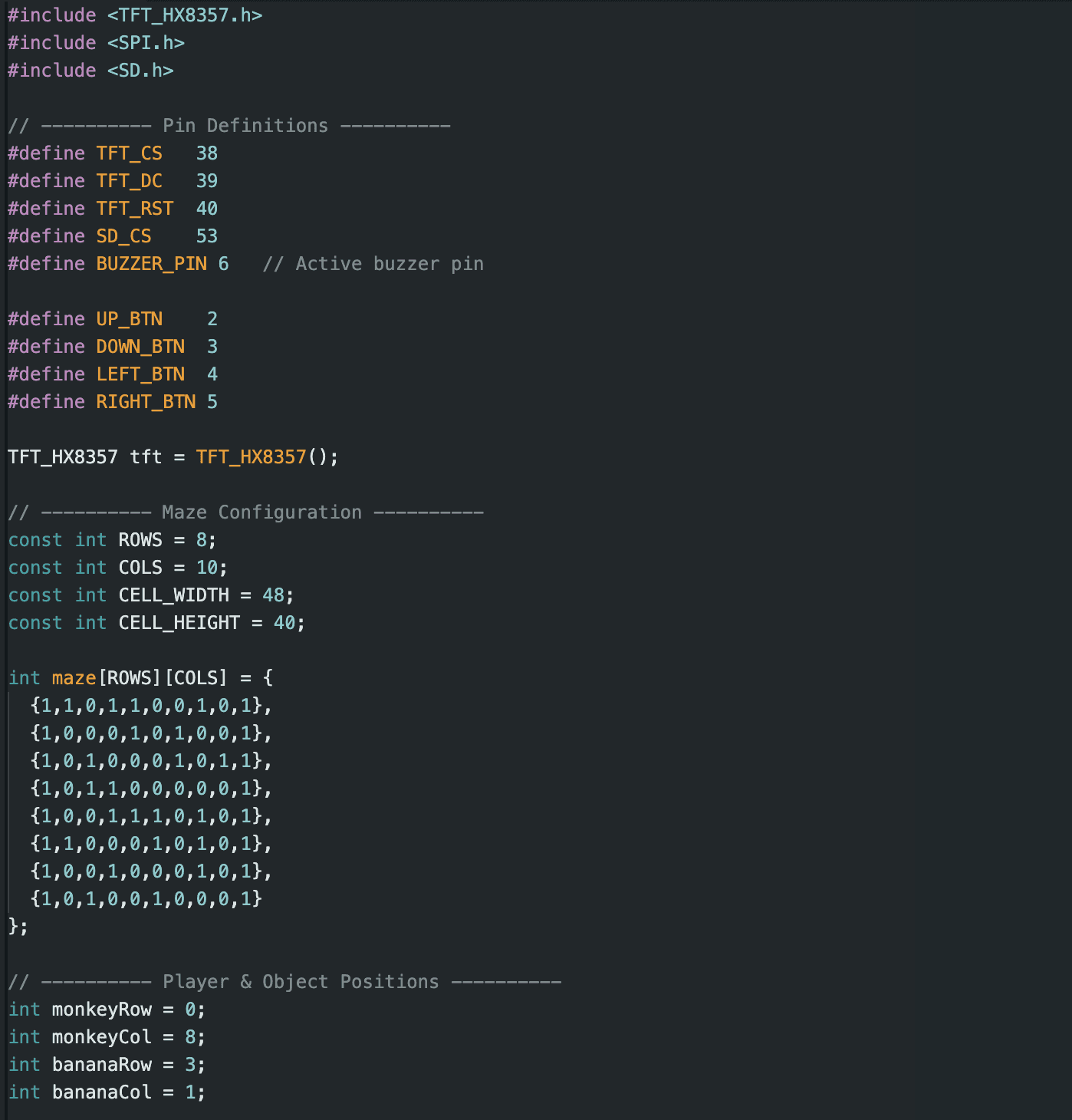
I wrote the game logic directly in the Arduino code and built a small sprite set—grass, water, a strawberry, a banana, and a monkey—for a simple foraging maze where players use the four directional buttons to collect items on screen, kept intentionally minimal so it reads at a glance between stops.
GAME COMPONENTS
I wrote the game logic directly in the Arduino code and built a small sprite set—grass, water, a strawberry, a banana, and a monkey—for a simple foraging maze where players use the four directional buttons to collect items on screen, kept intentionally minimal so it reads at a glance between stops.


HANDLE DESIGN & FABRICATION
HANDLE DESIGN & FABRICATION
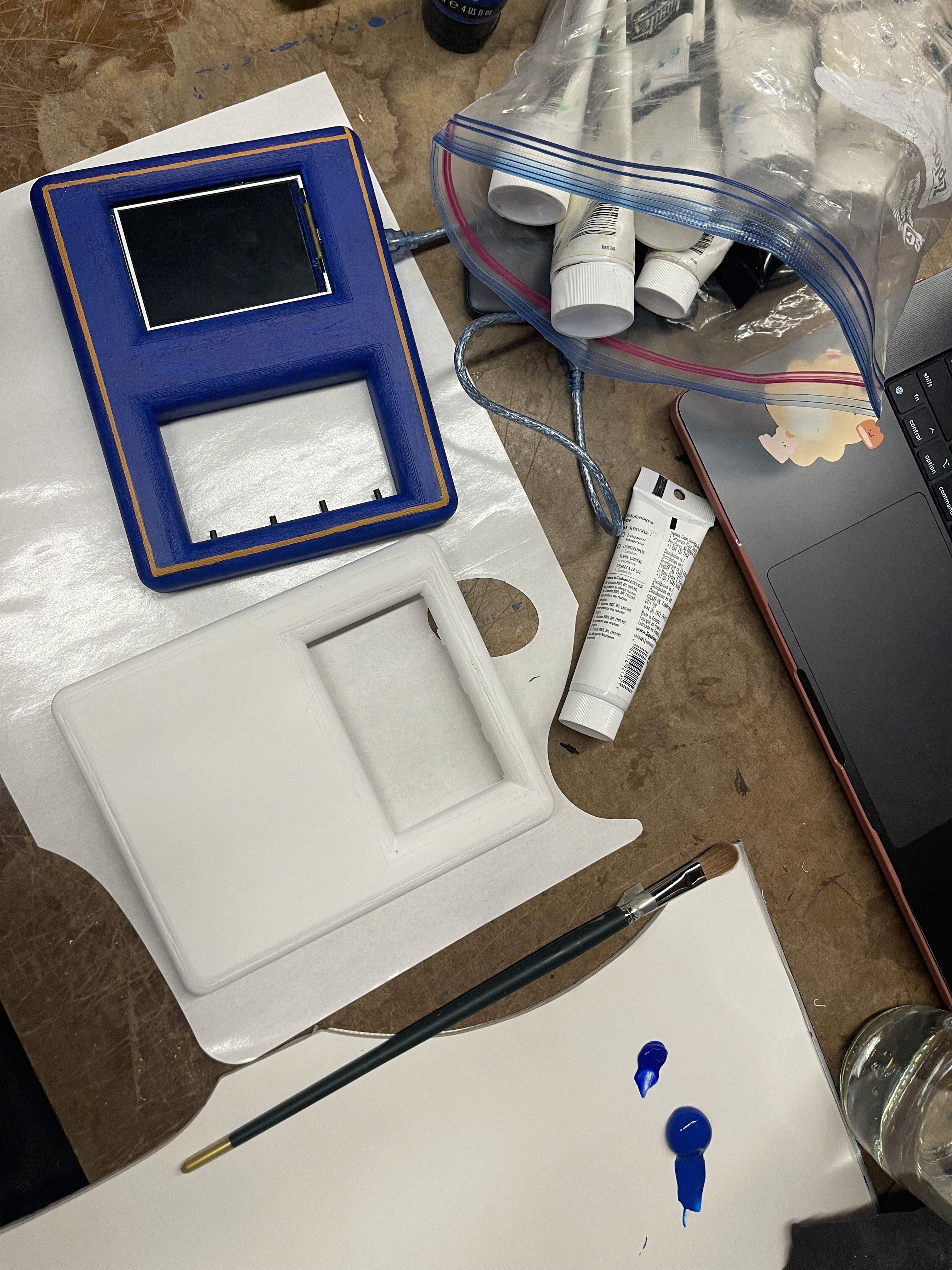
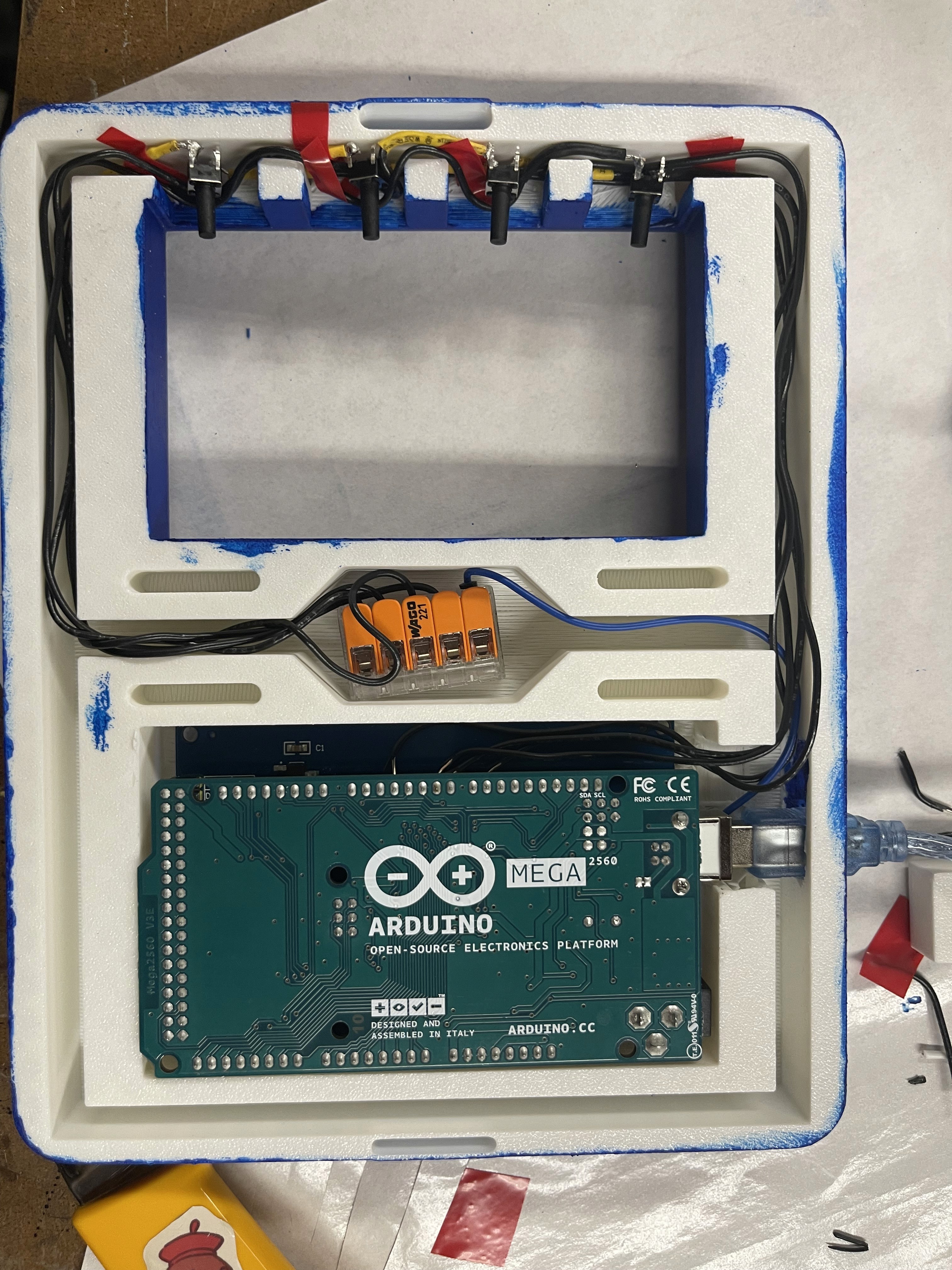
3D-Printed Housing
3D printed housing for the free-floating tactile buttons, Arduino board, and LCD screen — test-fit here before final paint.
Electronics Installed
The Arduino Mega and wiring seated inside the finished housing, with the buttons and screen mounted flush to the front face.
OUTCOME
A handle riders would actually want to hold.
The finished prototype hangs and grips like a standard train handle, but a closer hold reveals the screen and four color-coded buttons built into its base. In testing, the one-handed control layout held up — fingers found the buttons without looking, and the maze game was simple enough to pick up and put down between stops with no tutorial needed.
OUTCOME
A handle riders would actually want to hold.
The finished prototype hangs and grips like a standard train handle, but a closer hold reveals the screen and four color-coded buttons built into its base. In testing, the one-handed control layout held up — fingers found the buttons without looking, and the maze game was simple enough to pick up and put down between stops with no tutorial needed.

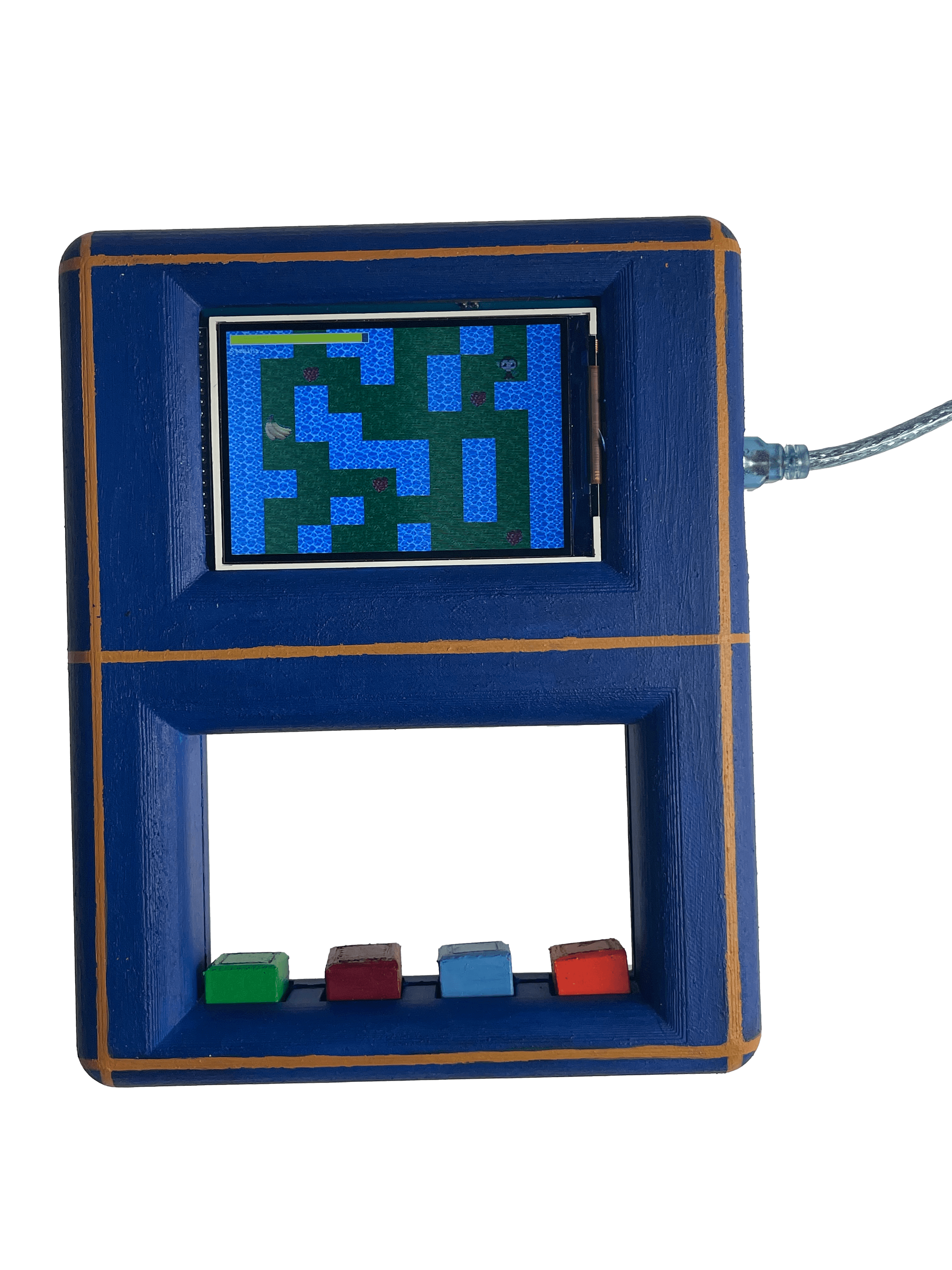
Electronics Installed
The Arduino Mega and wiring seated inside the finished housing, with the buttons and screen mounted flush to the front face.
3D-Printed Housing
3D printed housing for the free-floating tactile buttons, Arduino board, and LCD screen — test-fit here before final paint.